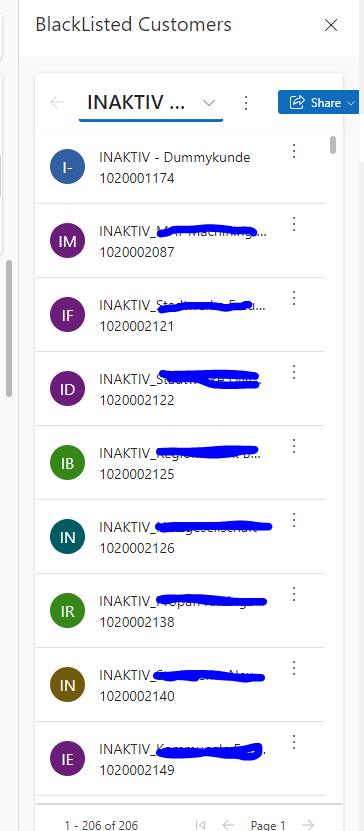
App side panes are a new feature in model-driven apps that allow you to display additional information or functionality in a collapsible pane on the right side of the app. You can use the Xrm.App.sidePanes API to create and manage app side panes programmatically. App side panes can display any model-driven app form or custom page, such as a view, a row, a web resource, or an external site. You can also add badges to the side pane tabs to indicate changes or notifications.
App side panes are not available for Dynamics 365 Customer Engagement on-premise deployments.
To create an app side pane, you need to use the Xrm.App.sidePanes API, which represents the collection of side panes. You can access this API from any form or custom page within a model-driven app. The API has the following methods:
createPane: Add empty pane to sidePanes collection. Need to callpane.navigate()to load the page.getPane: Returns the pane corresponding to the input ID. If pane doesn’t exist, undefined is returned.getSelectedPane: Returns the current selected pane.getAllPanes: Returns a collection containing all active panes.
For all methods and parameters you can check official documentation here. And here you can see al the navigateTo parameters.
Here is some sample code that implements these steps:
Show records in side pane based on specific View.
You can show a view in side pane. For this you need to provide your entity name and view id,

Show a specific record in side pane
You can show a specific record in your side pane. For this you need to provide your entity name and entity id,
 Crm Minds

Leave a comment