Tag: Power Apps
-
When Should We Raise the Plugin Assembly Version in D365 Plugin Projects?
Today I want to talk about something that confuses a lot of developers when working with Dynamics 365 plugins. When should you actually bump your plugin assembly version number? I see this question come up frequently in the community, and I have seen teams struggle with this in real projects.…
-
Dynamics 365 – How to Start a Plugin Project with PAC CLI
This article explains the process of quickly creating a new Dynamics 365 Plugin project using PAC CLI. It covers the installation of PAC CLI via .NET Tool, project setup, and the steps to create and deploy a plugin. Key commands and configurations for generating early bound models are also detailed…
-
Dynamics 365 -Custom Filter for Subgrids with setFilterXml
The post discusses the use of the setFilterXml method in Dynamics 365 for applying custom filters to subgrids. It highlights accessing the subgrid control, retrieving existing FetchXml, modifying queries if needed, and using setFilterXml for custom logic. Note that this method is unsupported, so caution is advised.
-
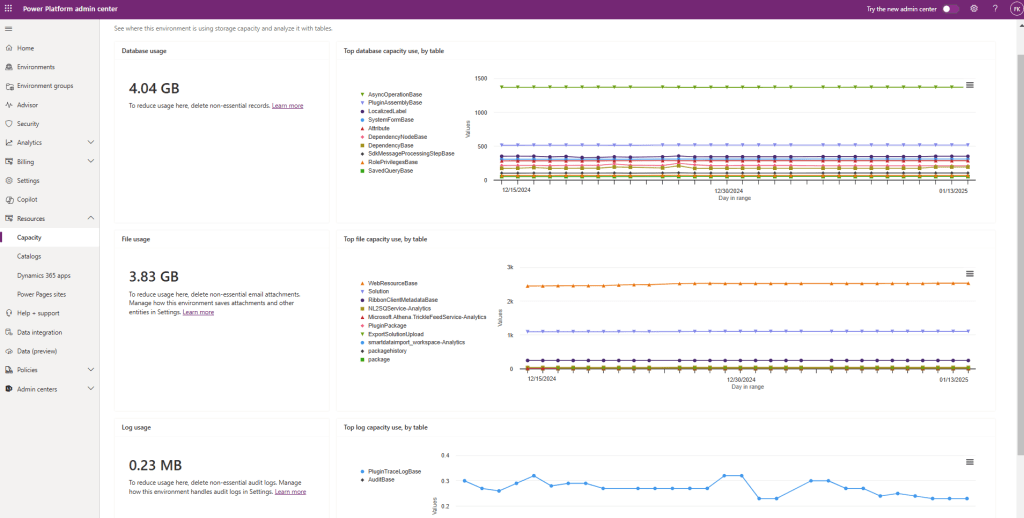
Dynamics 365 – How to Reduce Used Capacity
To maintain optimal performance in Dynamics 365, regularly monitor environment capacity and identify resource-consuming tables and components. Best practices include capacity usage monitoring, log cleanup, data archiving, proper audit history configuration, and removal of unused web resources, plugins, and solutions. These actions prevent resource exhaustion and streamline management.
-
Copy PowerApps/Dynamics 365 Solutions with PowerShell
Copying solutions between environments is a common task in Dynamics 365 and Power Apps projects if you do your deployments via DevOps pipelines. In this post, I will explain how to accomplish this task with PowerShell. For connecting to Dataverse via PowerShell, you can check my other post https://crmminds.com/2024/07/05/connect-to-dataverse-with-powershell/ Why…
-
Connect to Dataverse with PowerShell
Managing Microsoft Dataverse with PowerShell simplifies retrieving records and managing solutions for devops pipelines. In this post, we’ll focus on connecting to Dataverse with PowerShell, one of the key steps in automating tasks. Why Connect to Dataverse with PowerShell? PowerShell scripts can interact with Dataverse to perform operations like retrieving…
 Crm Minds