-
In this blog post, we’ll securely connect to a Dynamics 365 environment using ClientID.
-
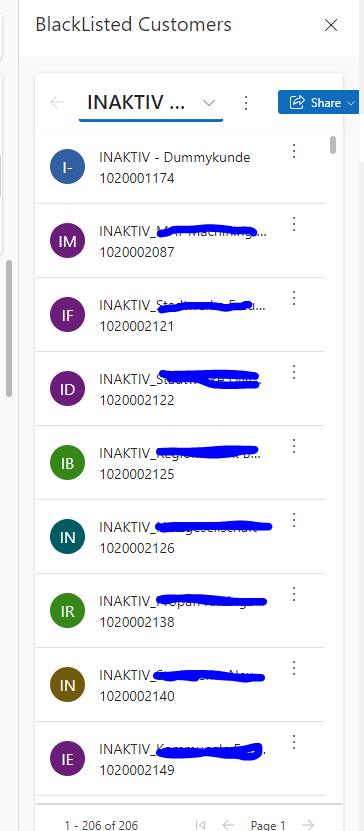
App side panes are a new feature in model-driven apps that allow you to display additional information or functionality in a collapsible pane on the right side of the app. You can use the Xrm.App.sidePanes API to create and manage app side panes programmatically.
-
The BulkDeleteRequest class is your trusty data operator within the Dynamics 365 environment. It’s the go-to tool for cleaning up your data in large batches. Whether you want to remove outdated records, clean up duplicates, or simply keep your database tidy, this class is your friend.
-
Confirm dialogs are a common user interface element that seek user confirmation before proceeding with a certain action. They’re particularly useful in scenarios where an action might have irreversible consequences or requires user attention. openConfirmDialog is a valuable function for enhancing user interactions within your model driven apps. By using confirm dialogs effectively, you can…
-
In this blog post, I will show you how to get user settings from Dynamics 365 using Power Automate flows. This is a useful technique when you want to customize your app or process based on the preferences or roles of different users. For example, you might want to send different email notifications or display…
-
In this post, I will show you how to get row data from the subgrids in Dynamics 365. Subgrids are useful for displaying related records on a form, such as contacts for an account or tasks for an opportunity. But sometimes, you may want to access the data of the subgrid rows in your code,…


-
Subscribe
Subscribed
Have a WordPress.com account? Log in now.

